Migrate Zapier and Make workflows into n8n
Upload your Zaps or export Make.com scenario blueprints with Make's template, then let migromat rebuild the automation logic as reviewable n8n workflows.
Choose your source
Start with Zapier Zaps or Make scenario blueprint JSON and migrate toward n8n.
Preserve workflow logic
Map triggers, actions, filters, routers, schedules, and fields into n8n workflow structure.
Reconnect safely
Credentials stay under your control and are reconnected directly inside n8n.
Choose your migration path
Convert the two currently supported sources into n8n: Zapier and Make.com.
Move Zaps into n8n workflows with AI-assisted conversion, export-ready JSON, and clear credential reconnect steps.
Use Make's blueprint template to export scenario JSON, then let migromat turn modules, routers, schedules, and fields into n8n workflow structure.
How migromat works
Three steps from source JSON export to reviewed n8n workflow.
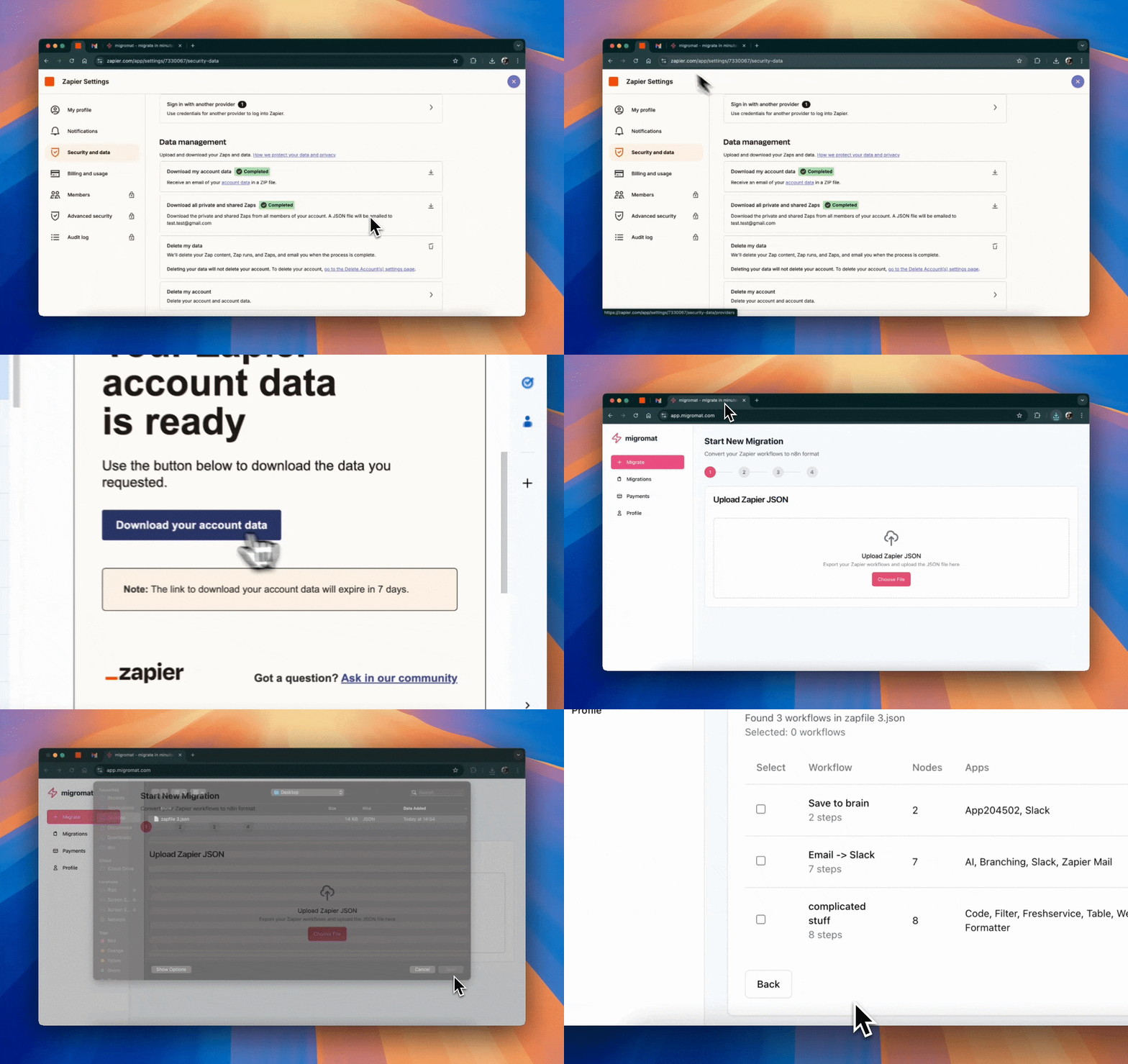
1. Upload your source JSON
Upload your exported Zap JSON, or use Make's blueprint template to save scenario JSON files to Google Drive before dropping them into migromat.
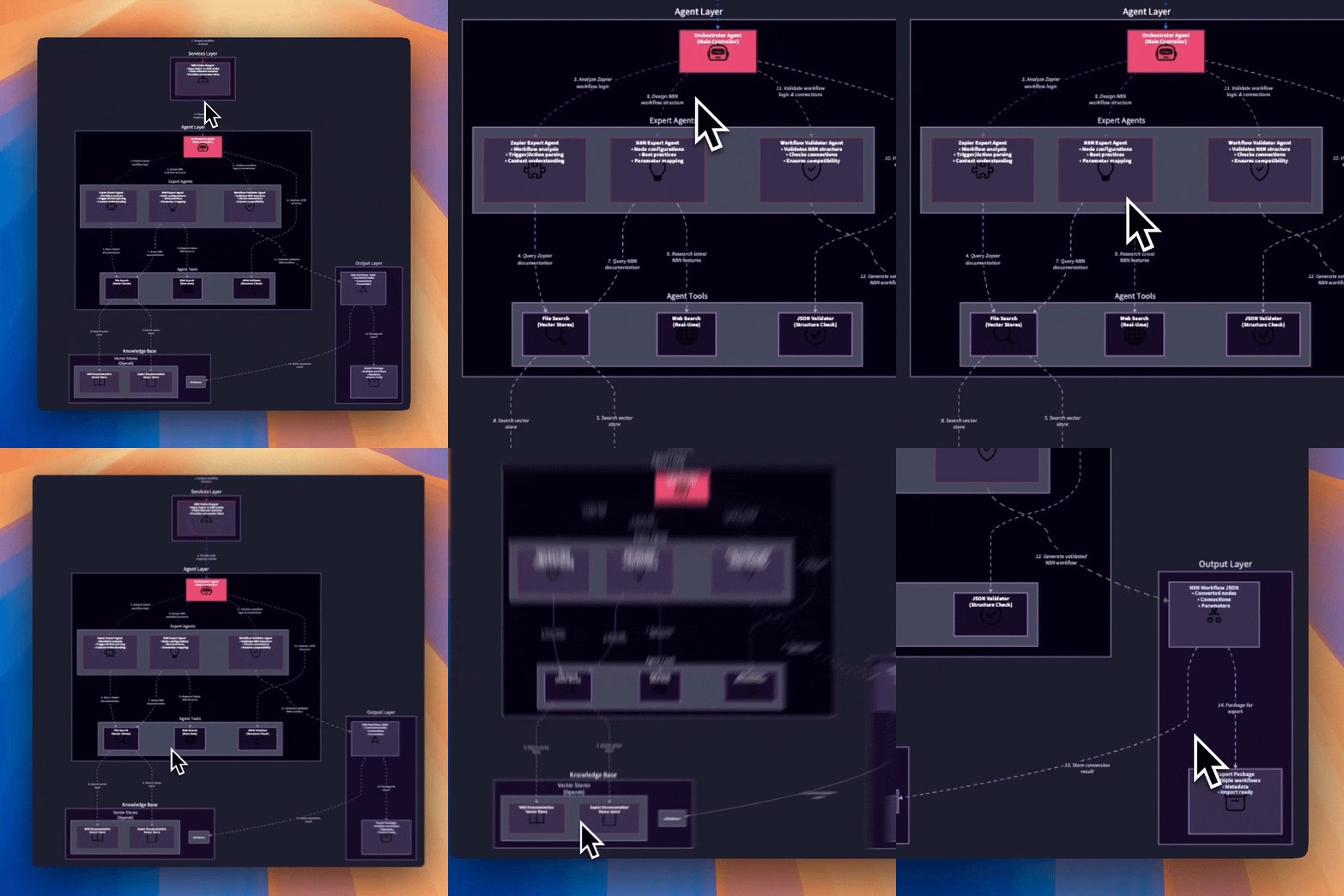
2. Convert the logic for n8n
migromat maps triggers, actions, routers, filters, schedules, and fields into n8n workflow concepts.
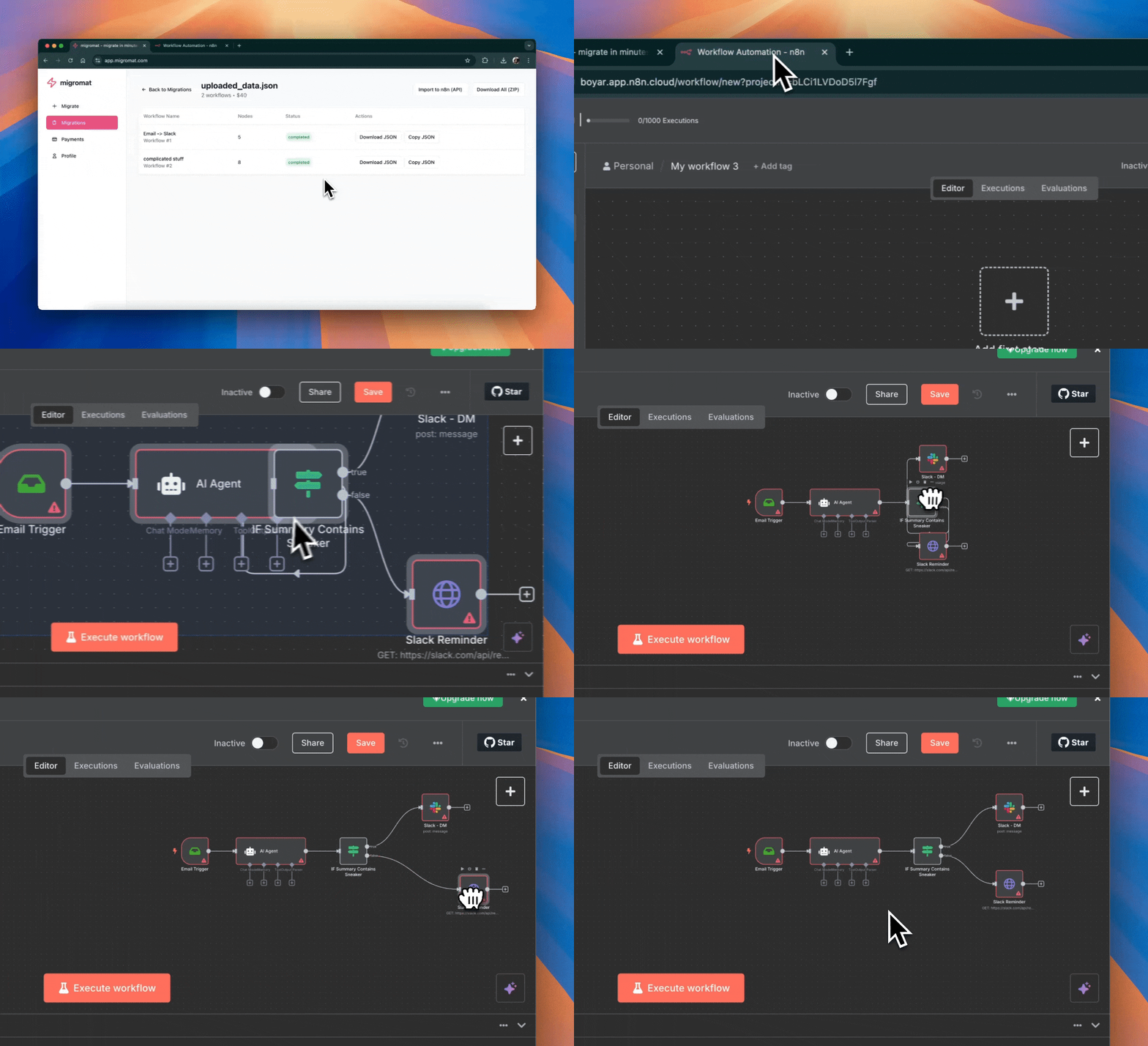
3. Review, export, and reconnect credentials
Review the generated n8n workflow, reconnect credentials, test the result, and activate it in n8n.
Built for real workflow migration
Practical conversion support for logic, data, and the parts that still deserve human review.
n8n-aware conversion
Converts source-platform building blocks into n8n concepts instead of doing a blind text rewrite.
- Triggers and actions
- Routers and filters
- Schedules and webhooks
AI-assisted workflow mapping
Maps the pieces that make automations actually run, then prepares them for review.
- Field mappings
- Conditional paths
- Data transformations
Reviewable output
Shows what was converted and what still needs manual attention before activation.
- Conversion notes
- Manual review flags
- Import-ready structure
Credential-safe migration
Credentials are not copied blindly. Users reconnect accounts directly inside n8n.
- No credential transfer
- Clear reconnect steps
- Safer account handoff
Export-ready n8n workflows
Output is prepared for n8n import after migromat reads your Zap export or Make scenario blueprint JSON.
- Structured workflow output
- n8n import notes
- Testing guidance
Bulk migration support
Built for teams moving one workflow today or planning a larger migration into n8n.
- Batch workflows
- Account-scale review
- Migration path planning
Simple migration pricing
Start with a single workflow or migrate a larger Zapier or Make.com account into n8n. Pricing depends on source complexity and review effort for larger batches.
Workflow batch migration
per 50 workflows
- Works for supported source exports
- Accepts Make scenario blueprint JSON
- AI-assisted workflow conversion
- Reviewable output with manual checks
Account-scale migration
for larger migration batches
- Good for teams moving 50+ workflows
- Bulk migration planning
- Credential reconnect guidance
- Contact-friendly for complex n8n moves
Ready to move your workflows?
Choose Zapier or Make.com as your source, upload the exported workflow JSON, and get an n8n conversion you can review before importing.